Bring your list
Upload Excel or CSV, or paste a few numbers to start. Your original columns stay intact.
E164flow is a phone number formatter for preparing international contact lists before a HubSpot or Pipedrive import. Check, format and export your list in your browser.
041 123 456+38641123456SI(415) 555-2671+14155552671US020 7946 0018+442079460018GB+39 02 3661 8300+390236618300ITFormatting happens locally, not on our servers.
Upload Excel or CSV, or paste a few numbers to start. Your original columns stay intact.
Choose a country and your output format. Review invalid numbers, extensions and duplicates.
Export the full list or just the rows you need. All ready for your next import.
Keep source IDs beside the cleaned numbers, see which rows need work, and check a small sample in your CRM before the full import.
Export your record ID, E.164 phone fields and extensions in a focused layout. Rename and reorder columns to match your import.
Check Phone, Mobile and Work phone together. Keep one export row per contact and trace each result to its source column.
Multi-column workflowExport the base number and extension in separate fields. Review duplicate references before deciding which records to import.
Read the format guideReview the original number, country, output and validation status together. This is the real converter using demonstration numbers.
Try the same workflow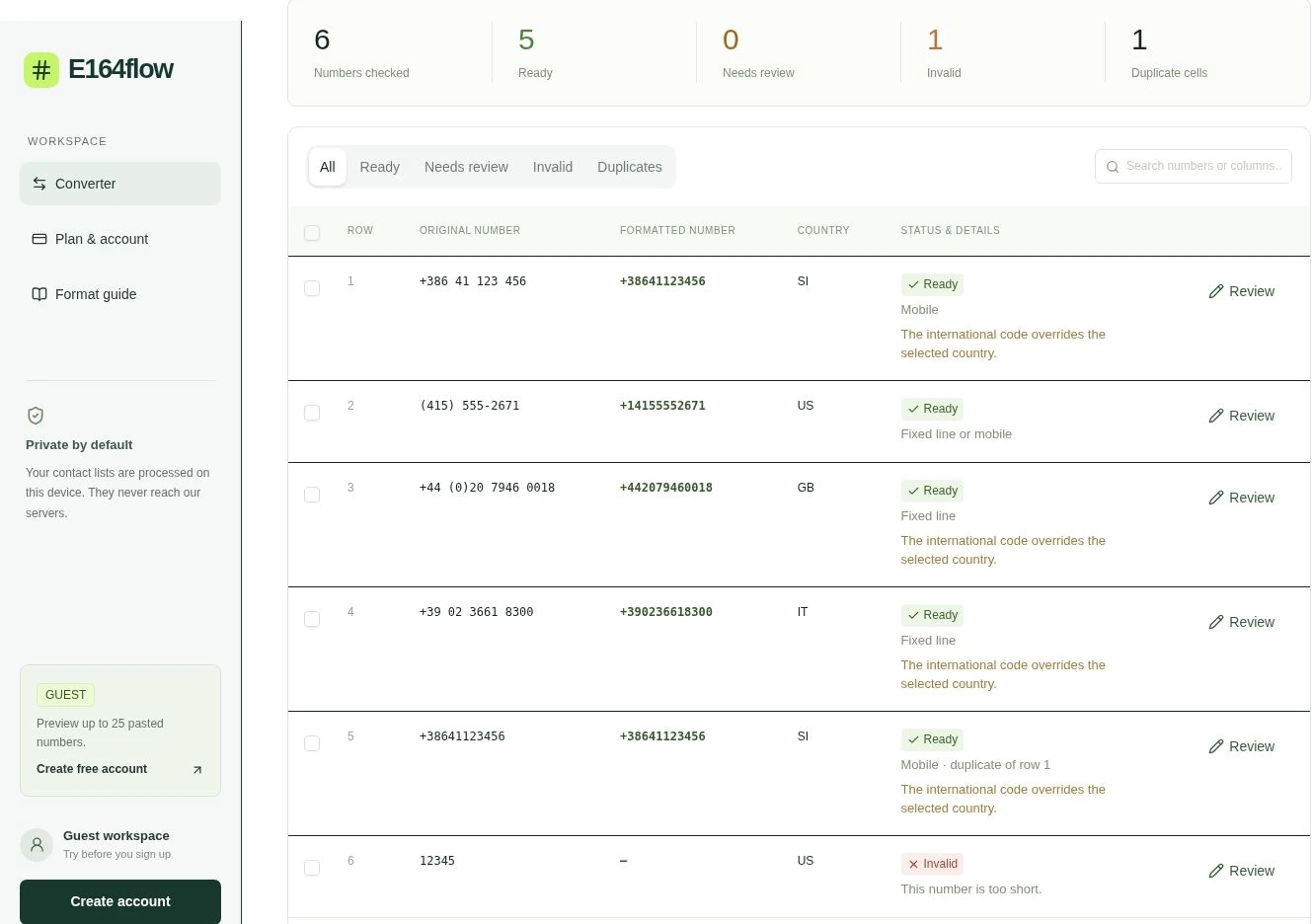
Reading a file, checking numbers and building an export happen inside your browser. Account sign-in, saved defaults and billing use separate network requests.
This is a check you can repeat, not a live network meter. Loading the app, signing in or saving country and format defaults can create requests.
Every plan keeps processing in your browser. Create an account when you need files, exports and saved defaults; Pro opens the full 20,000-row workflow.
Choose EUR or USD. Your subscription renews in the currency selected at checkout.
For a quick spot check before you create an account.
For occasional imports and smaller contact lists.
For people preparing larger or repeated CRM imports.
Pro gives you one monthly price for repeated cleanup: check up to 20,000 rows per file instead of correcting phone cells one by one.
Your contact files stay on your device. Account and billing details are handled separately. Meet the operator · Check how processing works
One focused tool for preparing phone-number columns before a CRM import. Operated by SData poslovne rešitve d.o.o. in Slovenia.
E164Flow checks numbering rules, formats phone columns and helps you review the file. It does not find new leads, enrich contacts, confirm that a number is reachable, or connect directly to your CRM.
Compare with Sigmera Compare with DatablistNo. E164Flow checks numbering rules and formats. It does not confirm whether a number is active, reachable, or owned by a particular person.
You can paste up to 25 numbers, choose any output format and review the results. Uploads, exports and saved defaults require a free account.
Pro includes every converter feature and raises the file limit to 20,000 rows. The paid plan is €10 or US$10 per month before applicable taxes. Choose your currency before checkout; renewals use that currency. Applicable taxes are calculated at checkout.
Contact files are processed in your browser and are not uploaded. Your account details and plan are stored separately. Leaving or reloading the converter clears your current list.
E164Flow uses the international numbering metadata in libphonenumber-js. Choose E.164, international, national, digits-only international, or a tel: link. Local numbers need a country.
Yes. Your export keeps the imported columns and adds the formatted number, validation details, extensions, and duplicate references.